Claude will not do your SEO for you. It will do most of the slow parts of it, if you set it up the way a working team does.
At CrazyDi we run Search Everywhere Optimization for brands across India, the US, the UK and the UAE. Claude sits inside almost every part of that work: audits, schema, meta tags, content briefs, topical maps, local SEO and monthly reporting.
Most guides on this topic show a demo prompt and stop. This one shows the system: which Claude setup to use, how to give it real search data, the skills we built for each task, what it gets wrong, and what changed in our results. Every skill mentioned here is on our skill map, and we release them free, in batches.
Key takeaways
- Claude handles the language and analysis work in SEO. Strategy, priorities and the final call stay with a person.
- Follow the path: chat to learn, Projects for each brand, Cowork to run skills on real work, Claude Code to build the site itself.
- Without live data, Claude guesses. Connect Search Console, GA4 and a keyword tool through MCP before you ask it anything about rankings.
- Skills are the difference between a clever demo and a repeatable process. We run 24 of them and release them free, in batches.
- Claude makes predictable SEO mistakes: invented search volumes, confident technical errors and generic copy. A QA step catches them.
- The same setup helps you get cited in ChatGPT, Perplexity, Gemini and AI Overviews, not just ranked on Google.
Can Claude do SEO? The short answer
Claude can do most SEO tasks that involve reading, writing, structuring or analysing. It cannot decide what matters for your business, and it cannot see live search data unless you connect it.
That split is the whole game. Treat Claude as a very fast analyst who has never met your client. It needs a brief, data and a reviewer.
| Claude does well | You still own |
|---|---|
| Drafting title tags, meta descriptions and schema in bulk | Which pages matter most for revenue |
| Turning a crawl export into a prioritised fix list | Whether a "fix" is worth the developer time |
| Outlines, briefs and first drafts from real SERP research | The point of view, the examples and the expert sign-off |
| Grouping thousands of keywords by intent | Which intent your business can actually win |
| Writing GBP posts, FAQs and llms.txt files | Brand voice, legal claims and anything client-sensitive |
| Summarising Search Console and GA4 trends | Explaining the "why" to the client and setting next steps |
Our rule is simple. Nothing Claude writes goes live without a person reading it against the source data. That includes schema, which looks harmless and is the easiest place to publish a claim the page does not support.
The four ways to use Claude for SEO
Think of it as a path. Start in chat, and move up a step when the work outgrows it. Most teams stay in chat too long.
| Step | What it is | Start here if | What we use it for |
|---|---|---|---|
| 1. Chat | Claude on the web or desktop app, one conversation at a time | You are new to Claude | Quick rewrites, explaining errors, first passes |
| 2. Projects | A workspace per brand, with files and instructions Claude reads in every chat | You work on one brand every week | One Project per client: brief, tone guide, keyword map |
| 3. Cowork | Claude working on your computer: it opens files, runs skills and uses your connected tools | You repeat the same deliverables | Our SEO skills every day, with Semrush, Drive and our other tools connected |
| 4. Claude Code | Claude building and editing a real website, with a live preview as it works | You need pages built or fixed | Designing and building pages, bulk schema, redirects, tracking |
Step 1, chat: teach it. Tell Claude what good looks like, correct it when it misses, and ask it to remember your preferences. A chat that knows your standards gives far better first drafts.
Step 2, Projects: give it context. Upload the brief, brand voice, keyword map and past audits once. Every chat inside the Project starts with that knowledge, so you stop pasting the same background.
Step 3, Cowork: let it do the work. Cowork runs skills on real files and tools, not just text in a chat. This is where skills shine: an audit, a meta tag sheet or a schema file comes back finished. Our team runs its SEO skills in Cowork every day, with Semrush, Google Drive and our other tools connected.
Step 4, Claude Code: build. Claude Code is best when the output is the website itself. It designs and builds pages, shows the result live in a browser as it works, and makes site-wide changes in one go. We rebuilt crazydi.ai this way.
Cowork and Claude Code need a paid Claude plan. Pro is the usual starting point; heavy daily use needs a Max or Team plan. Check Claude's pricing page for current limits, because they change often.
Give Claude real data: MCP connections for SEO
Claude does not know your rankings, traffic or backlinks. Ask it "why did traffic drop?" without data and you get a plausible list of generic causes. Connect the data and you get the actual pages and queries that fell.
The connection standard is the Model Context Protocol (MCP). An MCP server lets Claude query a tool directly, with your permission, inside the conversation. You add connectors once and every chat, Project or skill can use them.
| Data source | What Claude can do with it | Connector |
|---|---|---|
| Google Search Console | Find pages and queries that gained or lost clicks, spot cannibalisation, check indexing | Community MCP servers, or exports |
| Google Analytics 4 | Tie organic sessions to conversions, compare landing pages, check channel trends | Google's GA4 MCP server |
| Semrush | Keyword volumes, difficulty, competitor rankings, gap analysis | Official Semrush MCP |
| Ahrefs | Backlinks, referring domains, organic keywords | Official Ahrefs MCP |
| DataForSEO | Live SERP results, keyword data and on-page checks at API prices | Official DataForSEO MCP |
| Your site | Read pages, crawl output and code | Claude Code, or a crawl export |
Two rules keep this safe. Give connectors read-only access where the tool allows it. And never paste client data into a tool your client contract does not cover.
We will publish a full setup guide for each connector in this hub soon.
SEO tasks Claude handles well, and the skill we use for each
These are the eight tasks where Claude saves us the most time. Each one runs through a skill, so the output is the same whoever on the team runs it.
Technical audits
Claude reads a crawl export and turns hundreds of rows into a short, prioritised fix list, then writes the client-ready version. It needs the crawl data; it cannot crawl a large site by itself in chat.
Skill: Technical SEO Audit.
On-page audits and fixes
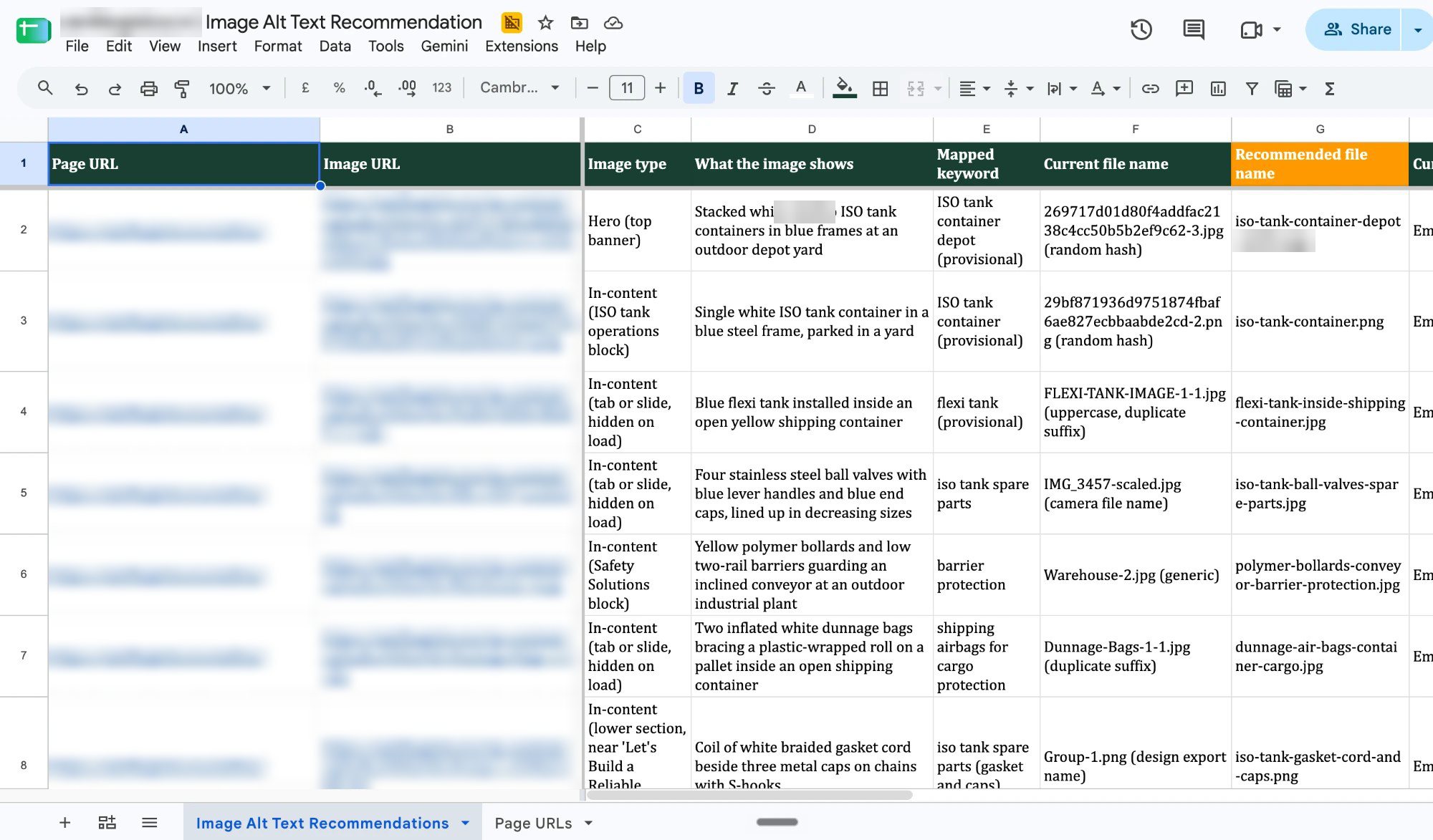
Page Audit benchmarks one URL against the pages ranking above it and returns copy-paste replacements for the title, H1, headers, schema, links and images. Site Audit Rollup turns many of those into one tracker.
Skills: Page Audit, Site Audit Rollup.
Title tags and meta descriptions
One URL with SERP previews, or a whole site from a spreadsheet. This is the fastest win most teams can get from Claude.
Skill: Meta Tag Writer.
Schema markup
Valid JSON-LD for any page type, packaged for Google Tag Manager. The skill builds markup only from what is visible on the page, and never invents ratings or prices.
Skill: JSON-LD Schema Builder.
Content briefs and drafts
Our content process starts with SERP research and a value-injected outline. Every section says what already ranks and where the brand must add something only it knows. Then comes the draft, and then a separate quality check.
Skills: Content Writing, Content Quality Checker.
Topical maps and content plans
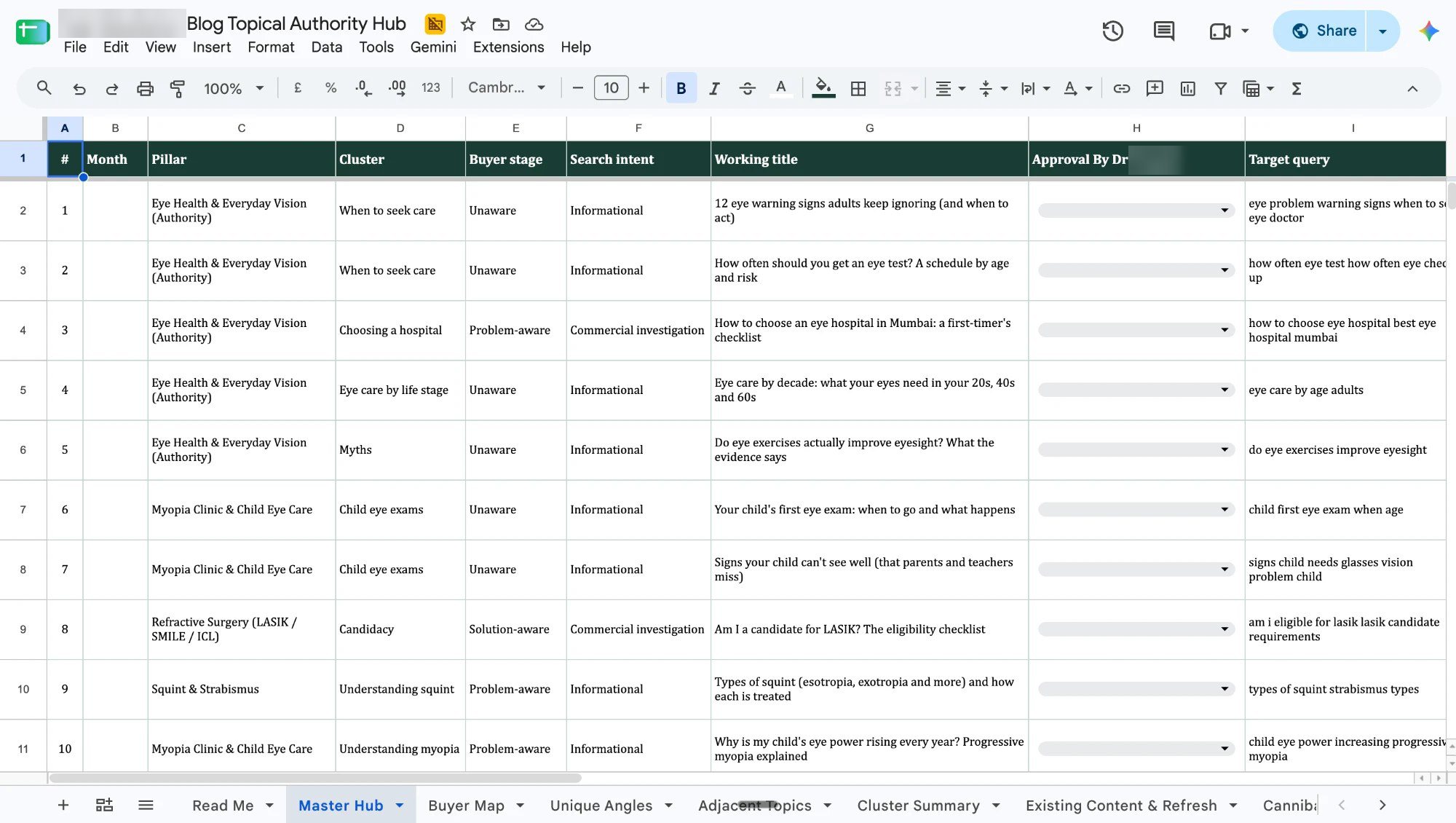
Claude merges competitor blog exports, question research and a crawl of your existing pages into one de-duplicated hub plan. It also checks every topic for cannibalisation before it goes on the calendar.
Skill: Topical Authority Planner.
Local SEO and Google Business Profile
GBP audits, category and service choices, weekly posts, review replies and multi-location checks.
Skill: Local Search Expert.
Reporting
Claude pulls the month's search and analytics data and builds an interactive dashboard, with the commentary drafted for a strategist to edit.
Skill: Client SEO Dashboard.
The full list of 24 skills, sorted by area, is in the skill map above.
Where Claude gets SEO wrong, and how we catch it
Claude's SEO mistakes are predictable, which makes them easy to catch if you look for them. These are the ones we see most.
- Invented numbers. Without a connected data source, Claude will estimate search volumes, difficulty and traffic, and present them with confidence. Never use a number Claude did not pull from a tool.
- Confident technical errors. It can recommend a fix that is outdated or wrong for your platform, such as a directive Google no longer supports. Check technical advice against Google Search Central.
- Schema that over-claims. Ratings, prices or FAQs in the markup that the visible page does not show. Google treats that as spam, not as an optimisation.
- Generic content. Left alone, Claude writes the average of what already ranks. That rarely beats what already ranks.
- Cannibalisation. Asked for twenty blog ideas, it will happily give you five that target the same intent as pages you already have.
- Stale facts. Claude's training has a cutoff. Anything about algorithm updates, tool features or prices needs a current source.
How we catch them:
- Every number in a deliverable must come from a connected tool or a client export. No source, no number.
- Every page goes through the Content Quality Checker before a client sees it. It scores uniqueness against the top three results, brand expertise, E-E-A-T, on-page SEO and readability.
- Schema is validated in Google's Rich Results Test and compared with the visible page.
- A strategist signs off. The sign-off asks one question: would an expert in this field put their name to it?
Claude for AI search and Search Everywhere Optimization
Ranking on Google is now only one way to be found. Your buyers also ask ChatGPT, Perplexity, Gemini and Google's AI Overviews, and those tools quote some brands and ignore others.
We call the work of showing up across all of them Search Everywhere Optimization. Claude helps in three places:
- Visibility checks. Run the same buyer questions across AI tools and record who gets cited. Our guide to checking if AI recommends your brand walks through the 10-minute version.
- Citable content. Clear definitions, direct answers in the first lines, tables and named sources make a page easier for AI tools to quote. Claude can rewrite a page into that shape without losing the brand voice.
- Machine-readable foundations. Schema, an llms.txt file and clean entity information across your profiles. The llms.txt Specialist and JSON-LD Schema Builder skills cover the build.
To test one page right now, use my free AI Visibility Checker. Paste a URL and get one honest score on whether AI can cite it.
When you want this done across your whole brand, that is what our Search Everywhere Optimization service does.
Claude SEO plugins and tools, compared
You will come across a few different ways to bring SEO into Claude. They solve different problems, and you can combine them.
| Option | What it is | Best for |
|---|---|---|
| The open-source Claude SEO plugin | A free plugin for Claude Code with commands and agents for audits, schema and GEO | Developers who live in the terminal and want a ready-made command set |
| The CrazyDi skills | The 24 skills we use on client work, released free in batches | Teams who want an agency's full process, in chat or in Claude Code |
| Your own skills | Skills you write for your own process and brand rules | Anyone with a repeatable task done the same way every week |
| SEO tool connectors | MCP servers from Semrush, Ahrefs, DataForSEO and Google | Everyone. Without data, every option above guesses |
Our view: start with ready-made skills, connect your data, then rewrite the skills to match your own process. A skill that encodes your standards is worth more than any generic one, including ours.
Get started this week
You can have a working Claude SEO setup by Friday. Here is the order we would do it in.
- Pick your setup. A Project for your brand if you work in chat, or Claude Code if you manage the site's files.
- Connect one data source. Search Console first. It answers most questions about what is working.
- Install three skills. Meta Tag Writer, Page Audit and Content Quality Checker cover the fastest wins.
- Run one audit on one important page. Compare Claude's recommendations with what you would have done.
- Review everything before it goes live. Then rewrite the skill wherever its output did not match your standards.
The CrazyDi view
Let Claude do the hours. Keep a person in charge of the decisions. The teams that win with it are the ones with a clear process, connected data and a person who signs off every page.
If you want that process built and run for your brand across Google, Maps and AI answers, start with a free visibility audit. We will show you where you are found today and where you are missing.